
Work with page text
Use explicit shortcuts when a page script blocks selection, copying, or the context menu. These operations work with real DOM text on the page.
01 · When an ordinary drag cannot select text
- 01
First confirm that the target is regular text on the page. Hold Alt and drag with the left mouse button from the start of the text to its end.
- 02
Release the mouse and confirm that the selection remains highlighted. Selecting text does not copy it automatically.
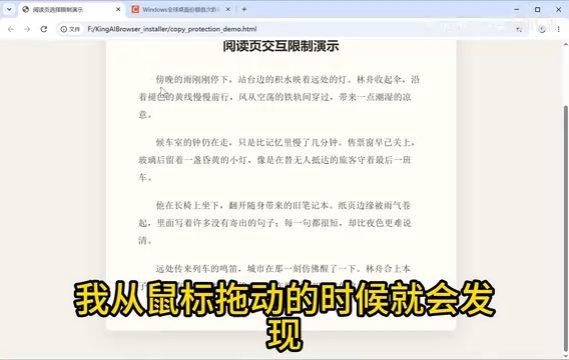
02 · Copy the selection with Alt + C
Press Alt + C while the text is highlighted, then paste into a text editor to verify the result. A page can intercept the usual Ctrl + C and leave an older value on the clipboard; use the browser shortcut in that case.

03 · Open the native menu
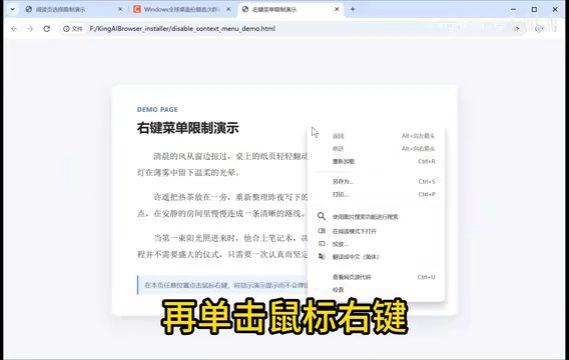
If an ordinary right-click does nothing, hold Shift and then right-click to open the browser’s native menu. Right-clicking can clear a text selection, so use Alt + C before opening the menu when copying restricted text.
Common questions
- Nothing was copied?
- Check that text is selected. If selection is blocked, use Alt + left-button drag to highlight it before pressing Alt + C.
- The website menu still appears?
- Hold Shift before right-clicking. An ordinary right-click can still be handled by the website.
Watch the text selection and copying walkthrough
Click play to watch here. The video is narrated in Chinese.
If the player cannot load, open the video on Bilibili ↗