Connect an AI Agent
Follow the product walkthrough to connect WorkBuddy, approve the first connection, and ask an Agent to operate the browser.
01 · Install the Agent integration
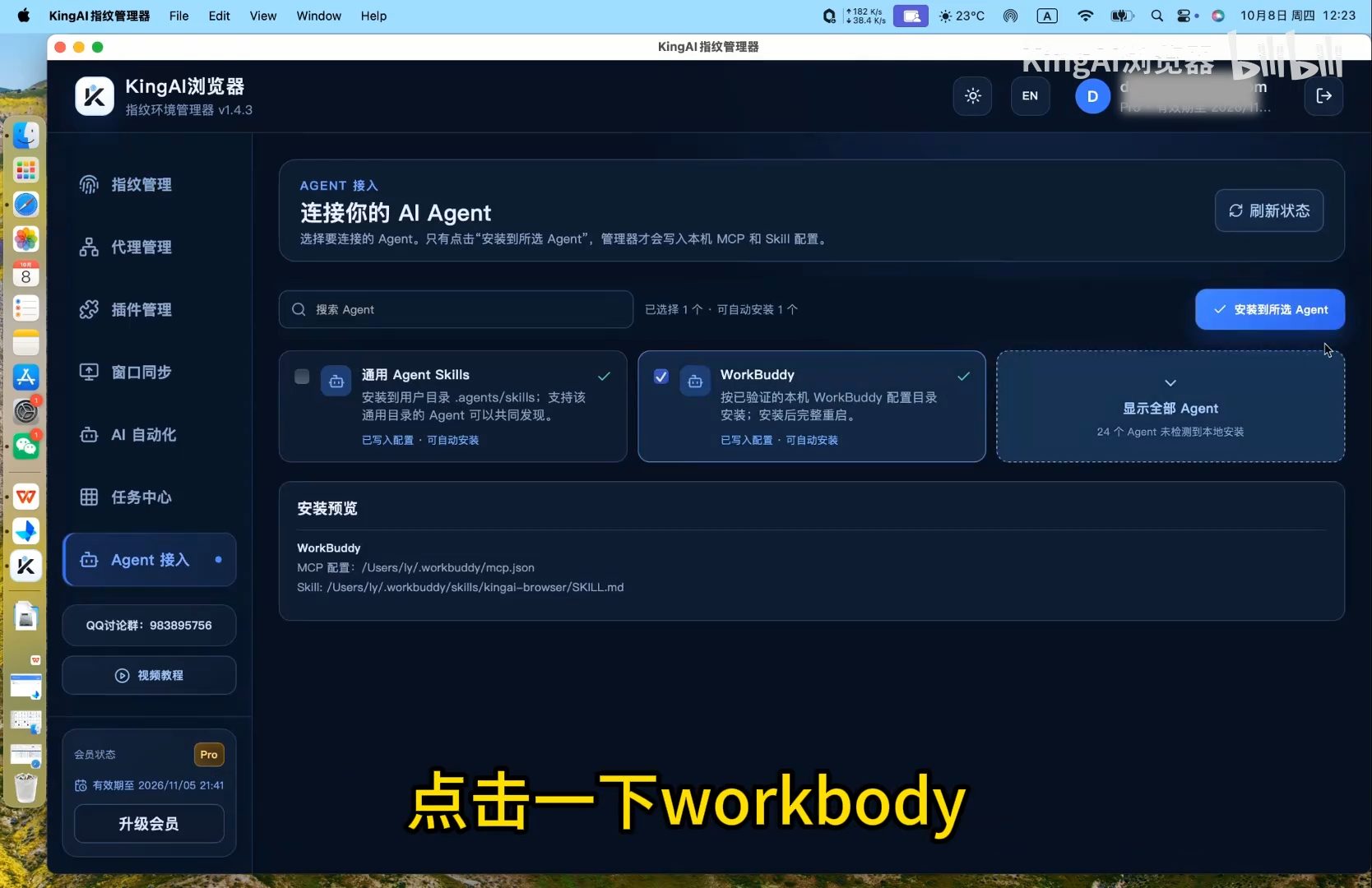
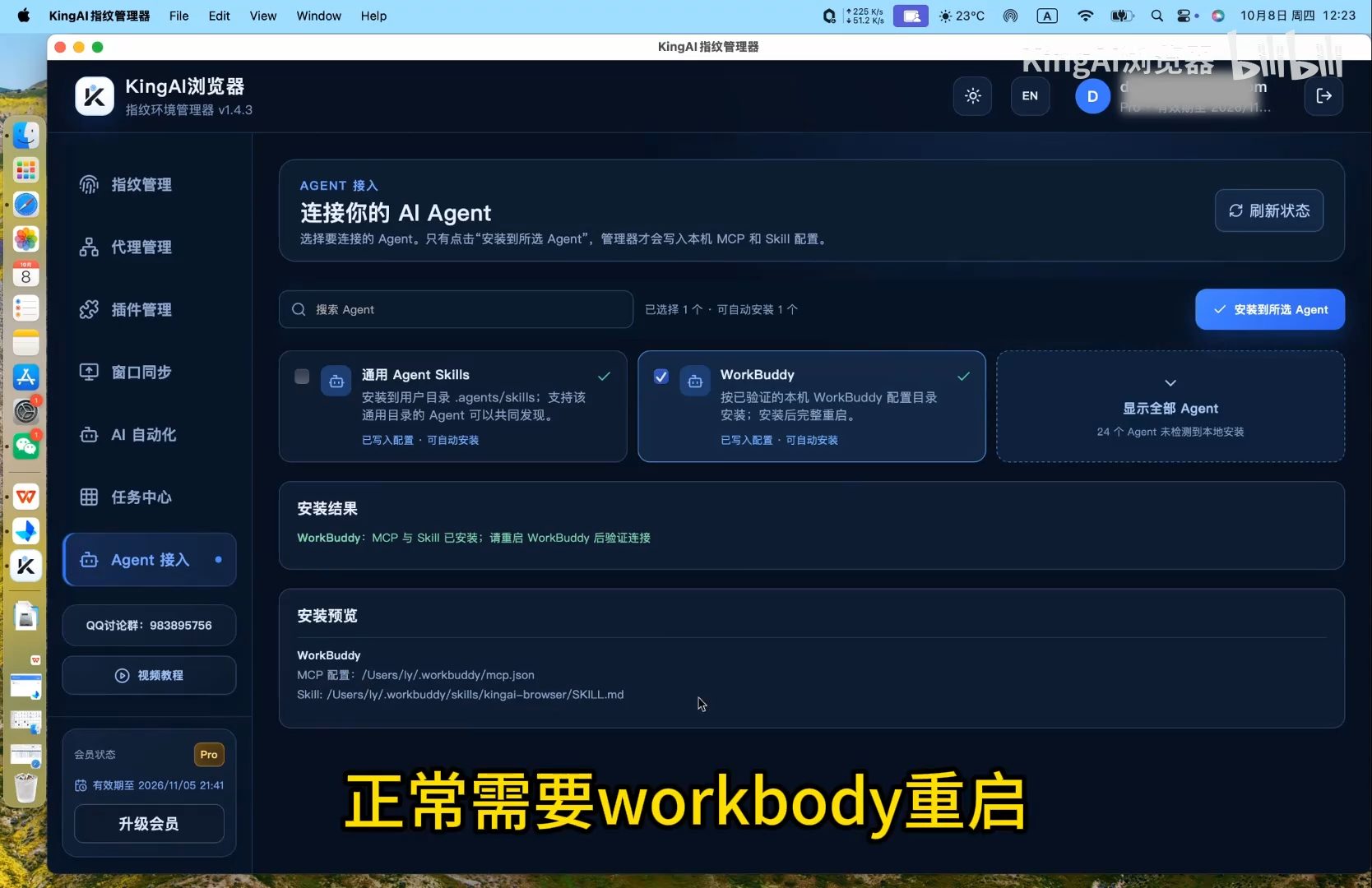
In the fingerprint manager, open Agent integration and select the detected WorkBuddy app. Review the MCP and Skill paths in the installation preview, then click Install to selected Agents. When the result shows success, restart WorkBuddy.
02 · Trust the first connection
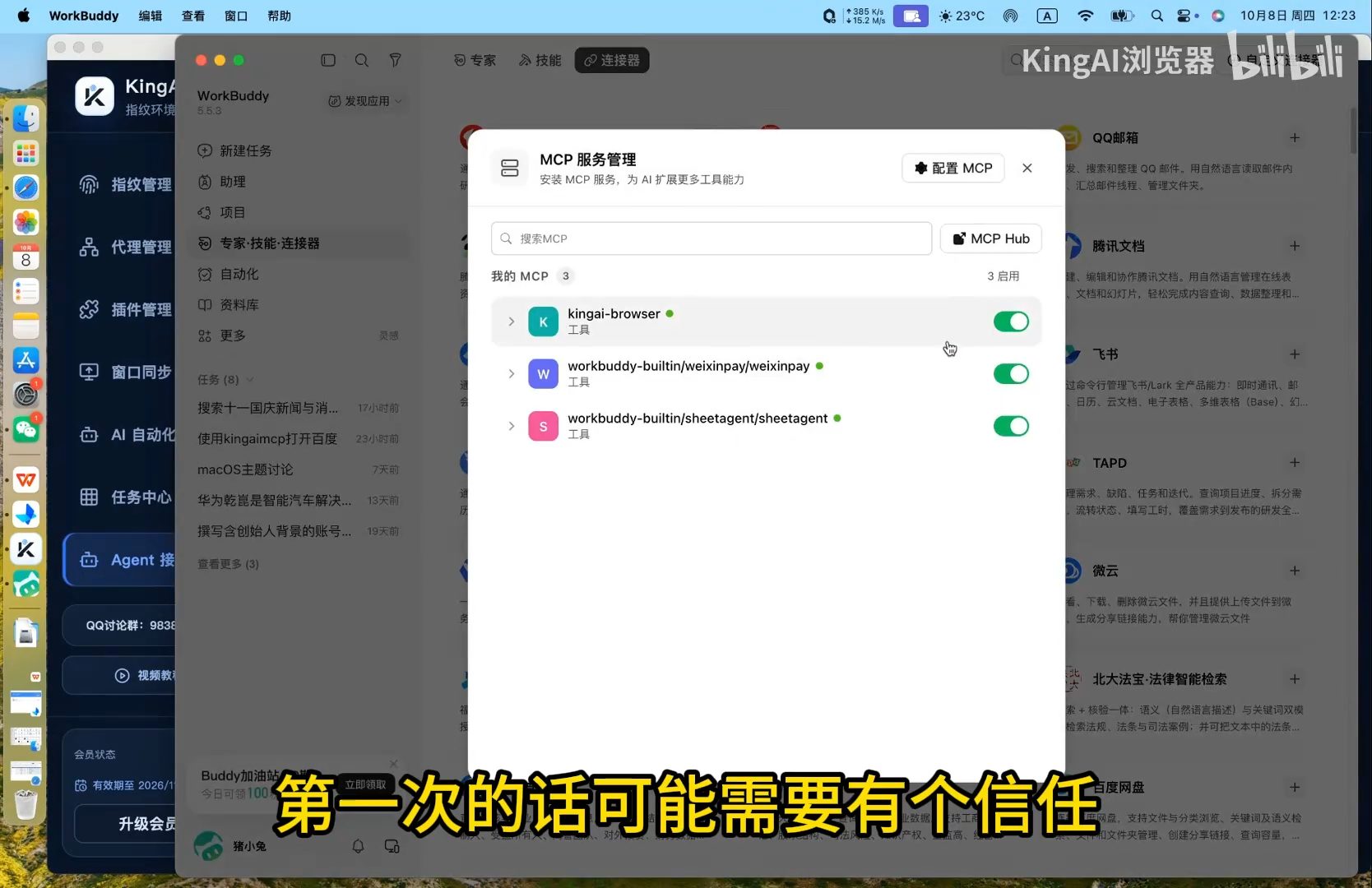
After restarting WorkBuddy, find the kingai-browser MCP connector. If it asks for trust on first use, confirm the source and approve the connection, then check that the connector is enabled.
03 · Ask the Agent to operate the browser
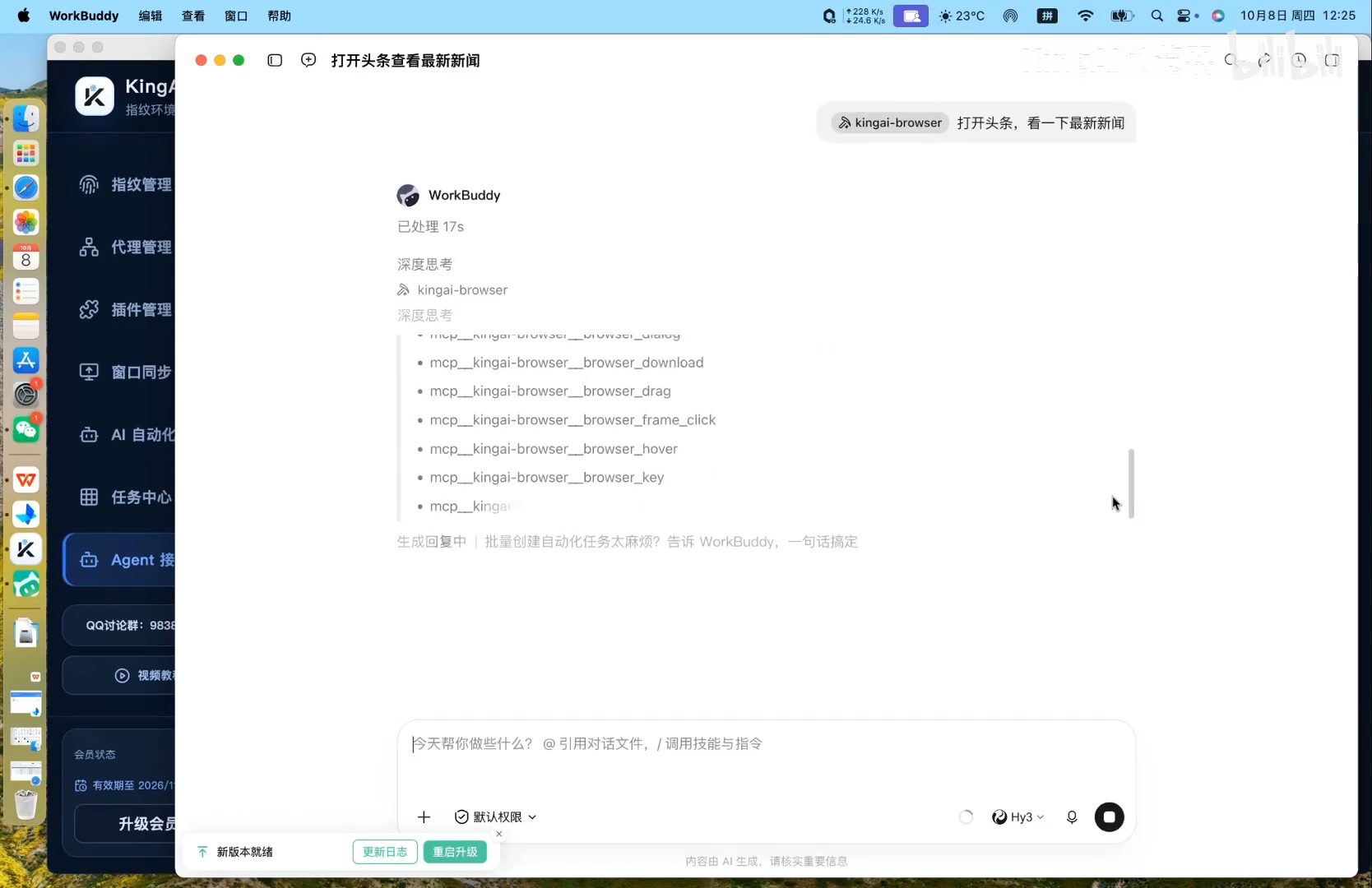
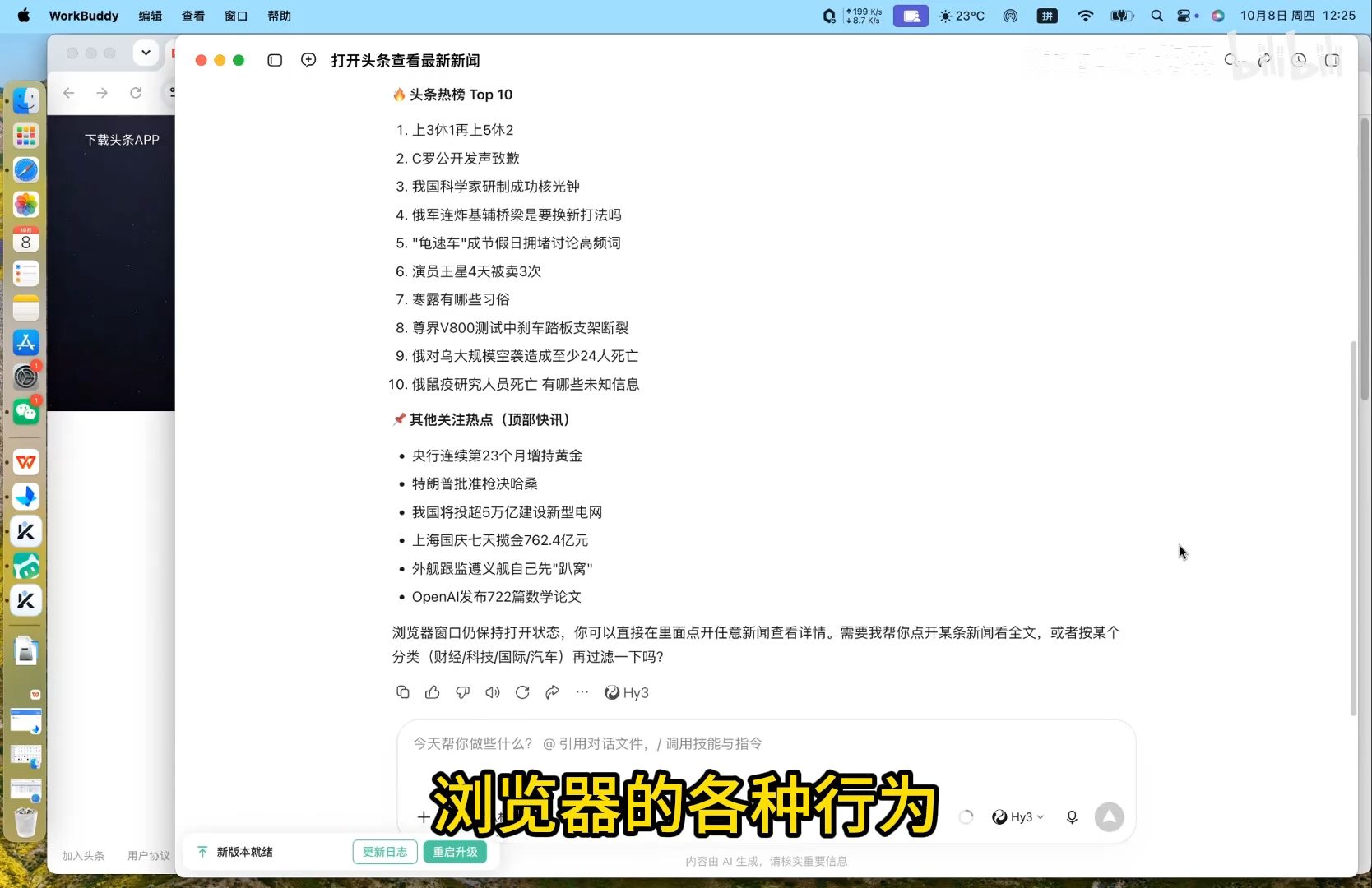
The demonstration asks the Agent to open Toutiao and review current news. WorkBuddy calls kingai-browser tools, opens the page, reads content, and returns a summary. You can inspect the tool activity and the reply in the conversation.
Common questions
- The connector is missing after installation?
- Restart WorkBuddy and review the manager’s installation result.
- The Agent cannot open a profile?
- Ask it to list saved profiles and choose an existing profile explicitly.
Based on the author’s Bilibili product walkthrough ↗. Original screenshots are preserved and may show Chinese interface labels.
Watch the Agent integration and browser automation walkthrough
Click play to watch here. The video is narrated in Chinese.
If the player cannot load, open the video on Bilibili ↗