AN AI AUTOMATION BROWSER BUILT ON CHROMIUM 151
One browser.
Every workflow in reach.
From recording web video and working with page text to isolated profiles, synchronized windows, and AI automation, KingAI Browser puts everyday tools into the browser itself.
Windows
Windows 10 / 11 · 64-bit
macOS (Apple Silicon)
Apple Silicon only · Intel Macs not supported
Free profile managerChromium-level changesLocal-first isolation
Built into the browser, not bolted on with fragile page scripts
CHROMIUM C++ PATCHESLOCAL PROFILESHUMANIZE INPUTAI + MCP
SIX CAPABILITIES
Tools once scattered across extensions and scripts, together in one browser.
Each capability addresses a real workflow: fewer extensions to install, fewer scripts to maintain, and more reliability from the browser itself.
01VIDEO RECORDER
Record web video
Hover over a supported video to start or stop recording. The control follows the player without covering it, and the finished file is saved locally.
- Native HTML <video> capture
- Automatic cleanup when a tab closes
- Asynchronous file writing
02TEXT FREEDOM
Work with page text
When a website blocks selection, copying, or the context menu, explicit shortcuts still let you work with real DOM text on the page.
- Shift + right-click for the native menu
- Alt + C to copy a selection
- Alt + drag to select temporarily
03FREE MANAGER
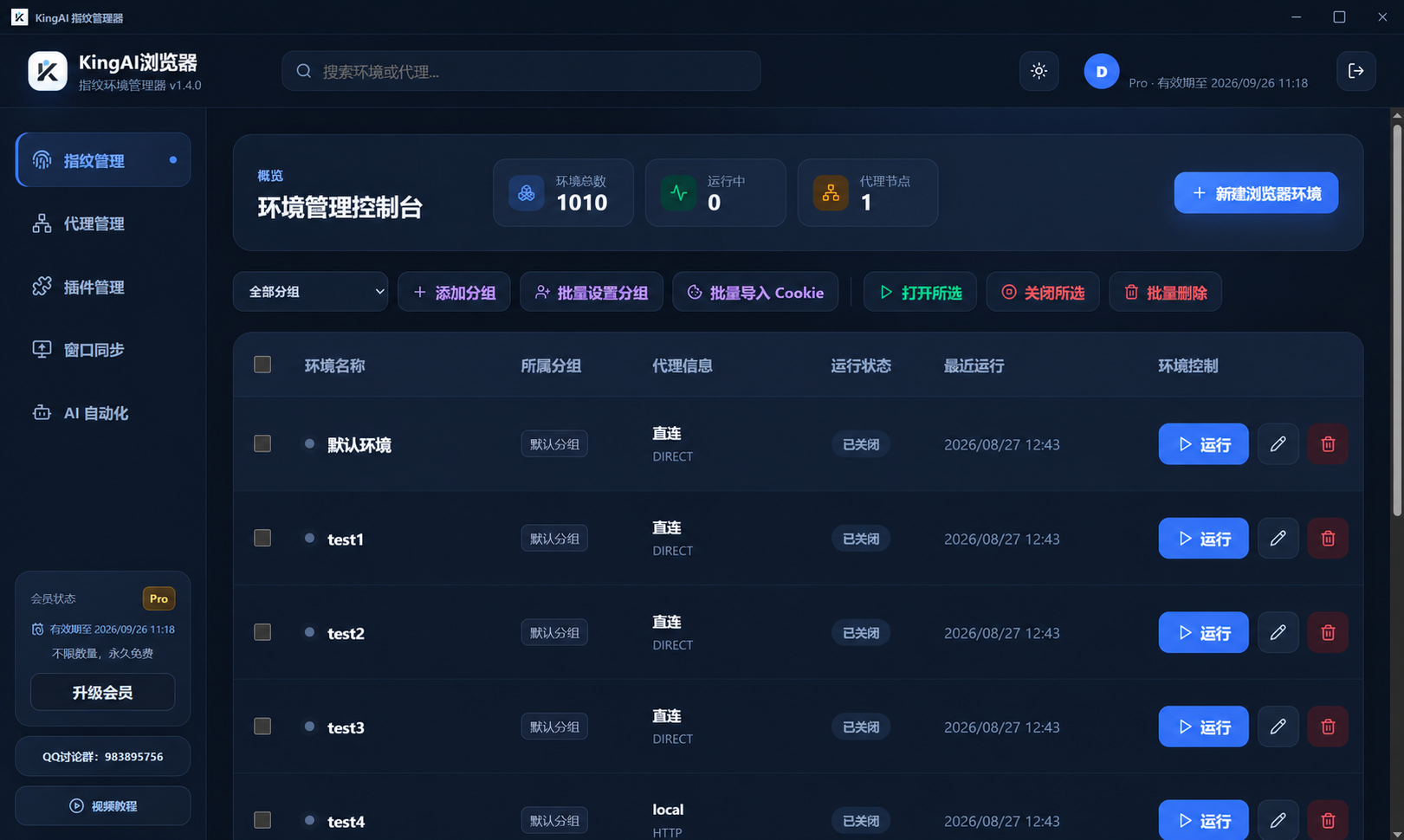
Free profile manager
Create, edit, group, and launch isolated profiles in a native manager. Each profile keeps its own user data, cookies, proxy, and settings.
- No limit on profiles or launches
- Isolated browser data
- Separate identities with independent IPs
04CHROMIUM C++
Chromium-level fingerprinting + humanize
Key identity, graphics, audio, font, network, and hardware signals are handled in Chromium and Blink. Input behavior is shaped at the browser layer.
- Stable Canvas, Audio, and ClientRects noise
- Real hardware templates for WebGL and WebGPU
- Natural mouse movement, typing, and scrolling
05WINDOW SYNC
Synchronize windows
Control multiple browser windows from one lead window. Page input uses protected Chromium interfaces; browser controls use internal APIs.
- Mouse, keyboard, and scroll sync
- Chinese input and address bar paste
- Multiple displays and grid layouts
06AGENT + SKILL + MCP
AI automation
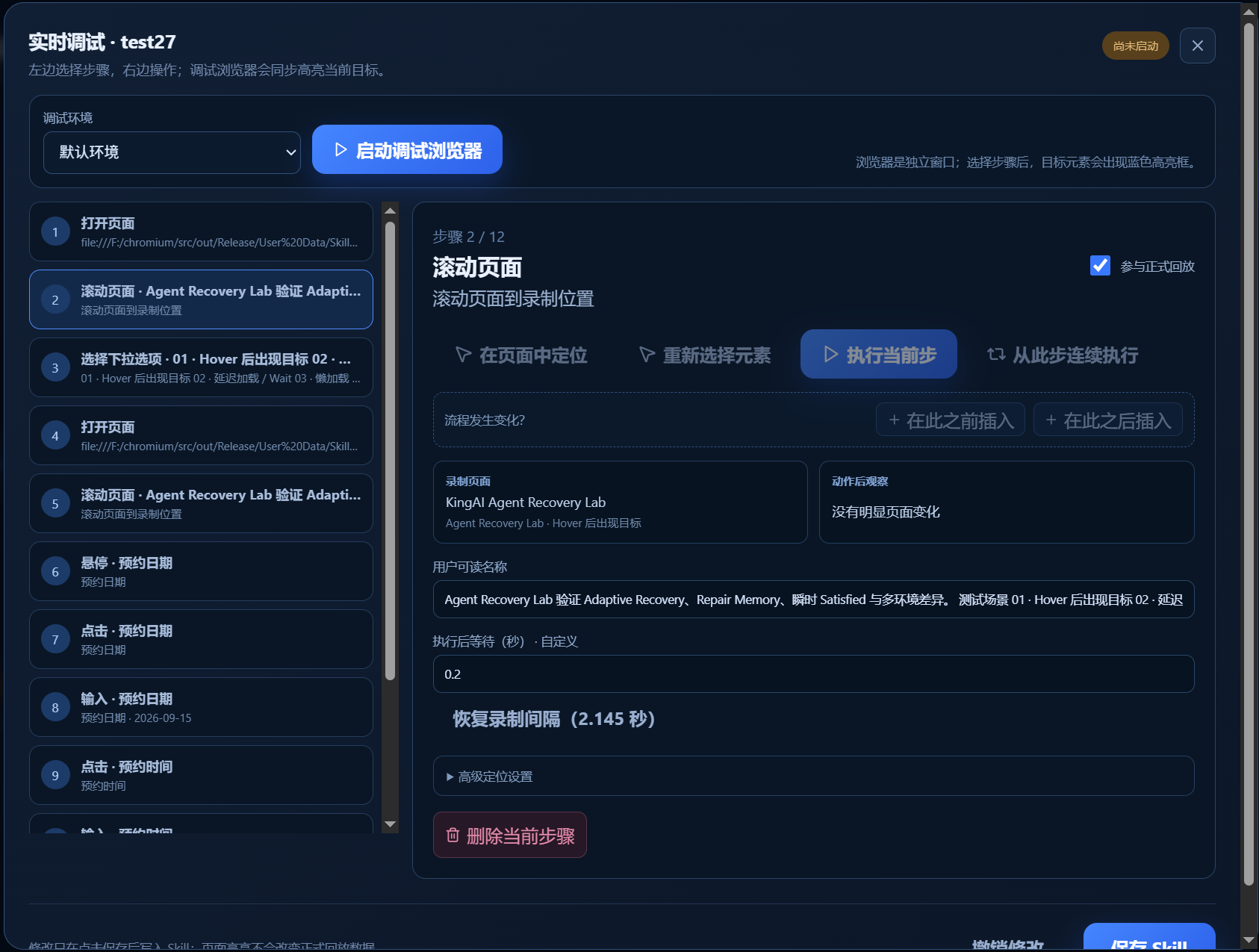
Record a real task as a reusable Skill. The built-in Agent helps adjust to page changes and troubleshoot playback.
- Record once, replay repeatedly
- Agent-assisted element matching and debugging
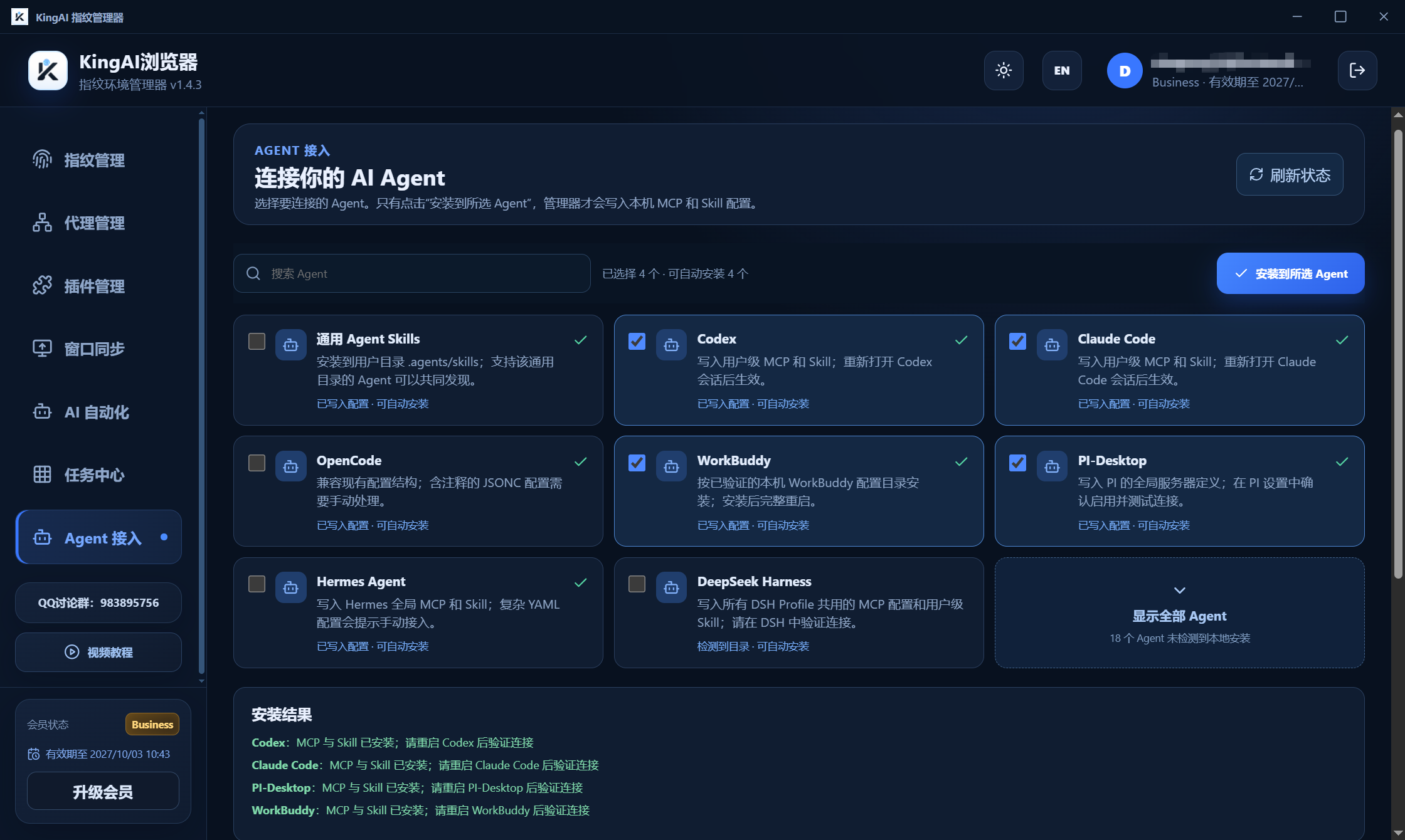
- MCP access to profiles and humanize input
SOURCE-LEVEL CONSISTENCY
More than looking real.
Consistency starts in the browser core.
KingAI Browser changes fingerprint surfaces in Chromium and Blink, keeping identity, language, time zone, proxy region, hardware, and graphics signals aligned. Each profile has separate data and noise keys.
01Coverage across fingerprint surfacesUA / Client Hints, Canvas, Audio, ClientRects, fonts, WebRTC, WebGL / WebGPU, and hardware data
02Profile-level data isolationSeparate user data, cookies, cache, proxy, settings, and noise keys for every UUID profile
03Signals that agree with each otherLanguage and time zone align with proxy location; GPU details use real hardware templates
KINGAICOREChromium
CanvasWebGLWebRTCAudioFontsClient HintsREAL INPUT SIGNALS
Automation can feel closer to real input.
Humanize operates in the browser input layer. Along with natural paths and timing, it supplies realistic pressed-button and pressure values to CDP mouse events.
DETECTION MATRIXA browser-level implementation, not a single score.
| Signal | Chrome + Playwright | KingAI Browser | How it works |
|---|
| reCAPTCHA v3 | 0.1 bot | 0.9 human | Server-side test in a specific environment |
navigator.webdriver | true | false | Chromium / Blink source changes |
| UA / Client Hints | Fixed browser defaults | Per-profile, internally consistent | Cross-checks brand, version, and platform |
| CDP Error stack detection | Detection hook may fire | Detection side effect blocked | V8 Inspector protection |
| Mouse press signal | buttons / pressure often default to 0 | buttons 1 · pressure 0.5 | Explicit values in the Chromium input layer |
| Mouse movement and click | Straight paths or fixed points | Curved paths and natural timing | Browser-level humanize |
| Typing behavior | Instant text entry | Rhythm, corrections, and backtracking | Browser-level humanize |
| Profile consistency | Requires manual assembly | Checks across surfaces | Source changes and pre-launch validation |
* The 0.1 / 0.9 comparison comes from a particular setup, network, and test procedure. It does not guarantee results on other sites or with other risk checks. Proxy quality, account history, and actual behavior also matter.
LEAD● Window sync running3 × 2 grid
CN · Lead
US · Profile 02
JP · Profile 03
DE · Profile 04
SG · Profile 05
GB · Profile 06
ONE ACTION, MANY WINDOWS
One action.
Every window in sync.
Clicks, scrolling, keyboard input, Chinese text entry, tabs, and address bar actions can be synchronized in real time. Each follower keeps its own fingerprint, proxy, and cookies.
Humanized inputMultiple displaysFast synchronization
RECORD ONCE. REPLAY WITHOUT LIMITS.
Record once. Let AI handle repeated work.
Complete a workflow once and save it as a reusable Skill. Replay it in different fingerprint profiles without setting everything up again.
SKILL WORKFLOW● READY
01●RecordComplete a real task
→02◆Create SkillCapture steps and intent
→03✦Agent adaptsHandle page changes
→∞↻ReplayRun across profiles
Humanize inputIsolated profilesLocal artifacts
BUILT-IN AGENT
Elements changed or replay failed?
Keep debugging.
Coordinate-based and selector-based scripts can break when sites change. The built-in Agent uses the current page and the original task intent to diagnose failed steps, adjust elements, and continue replay.- Understand buttons and fields by meaning
- Adapt to common DOM changes
- Debug individual Skill steps
- Continue after correcting a step
- Use humanize for browser input
FOR EXTERNAL AGENTSMCP automation interface
External agents can discover saved Skills, read their parameters, start runs in isolated profiles, check progress, cancel jobs, and receive structured results and controlled artifacts.
BUILT FOR REAL WORK
From your next browsing session,
fewer limits and more control.
KingAI Browser and its free profile manager continue to evolve.
Windows
Windows 10 / 11 · 64-bit
macOS (Apple Silicon)
Apple Silicon only · Intel Macs not supported